

Deploy a model
- Open Models and select Deploy on the model you want to ship.
- Choose the group to deploy to — the model rolls out to every device in it.
- Confirm. Each device picks up the model on its next check-in.
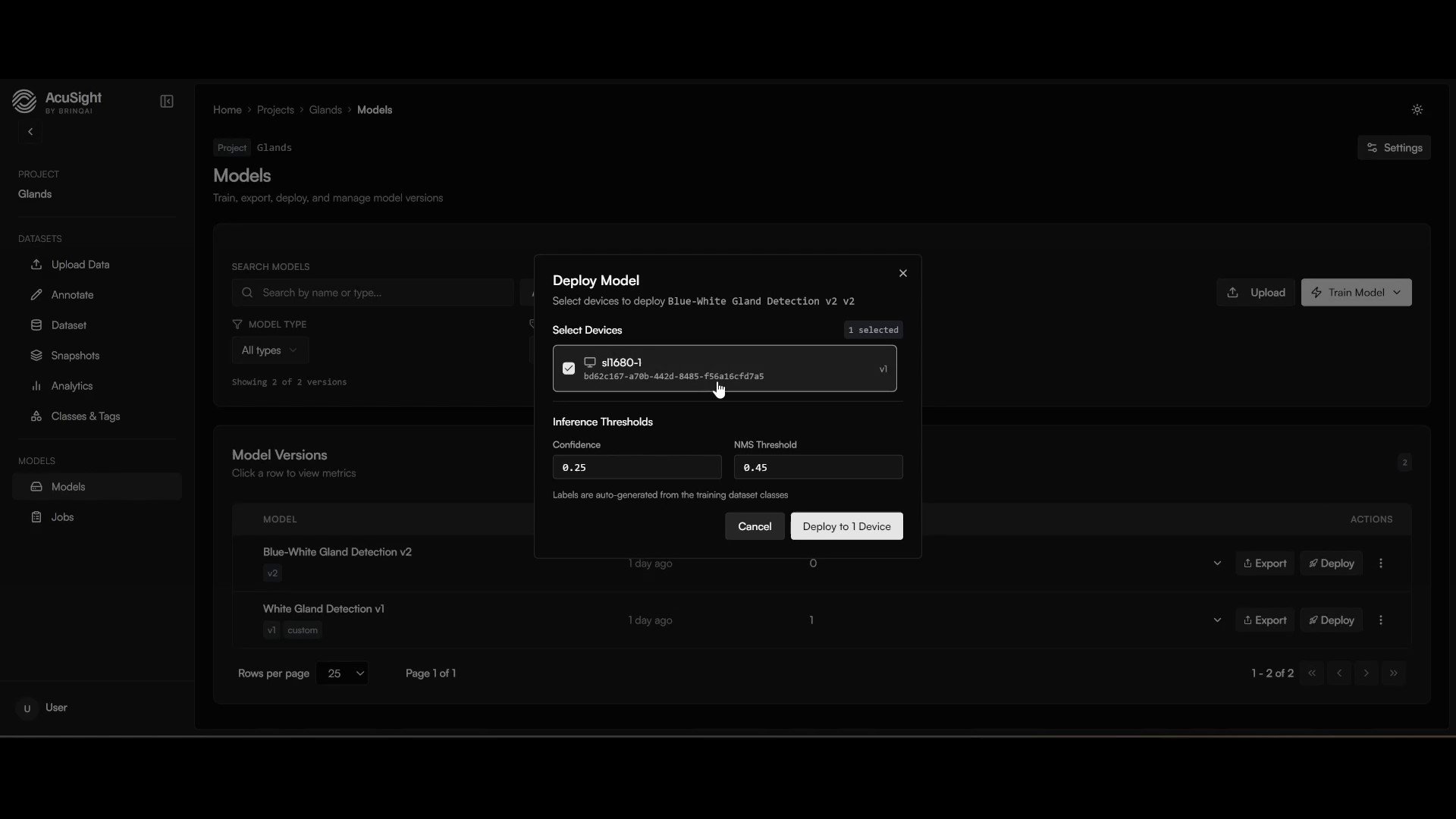
Deploy a model to a group — every device in the group picks it up.
Watch it run
Open Video to see live inference on your devices. Detections appear in real time, with Good / Defect events listed alongside the stream.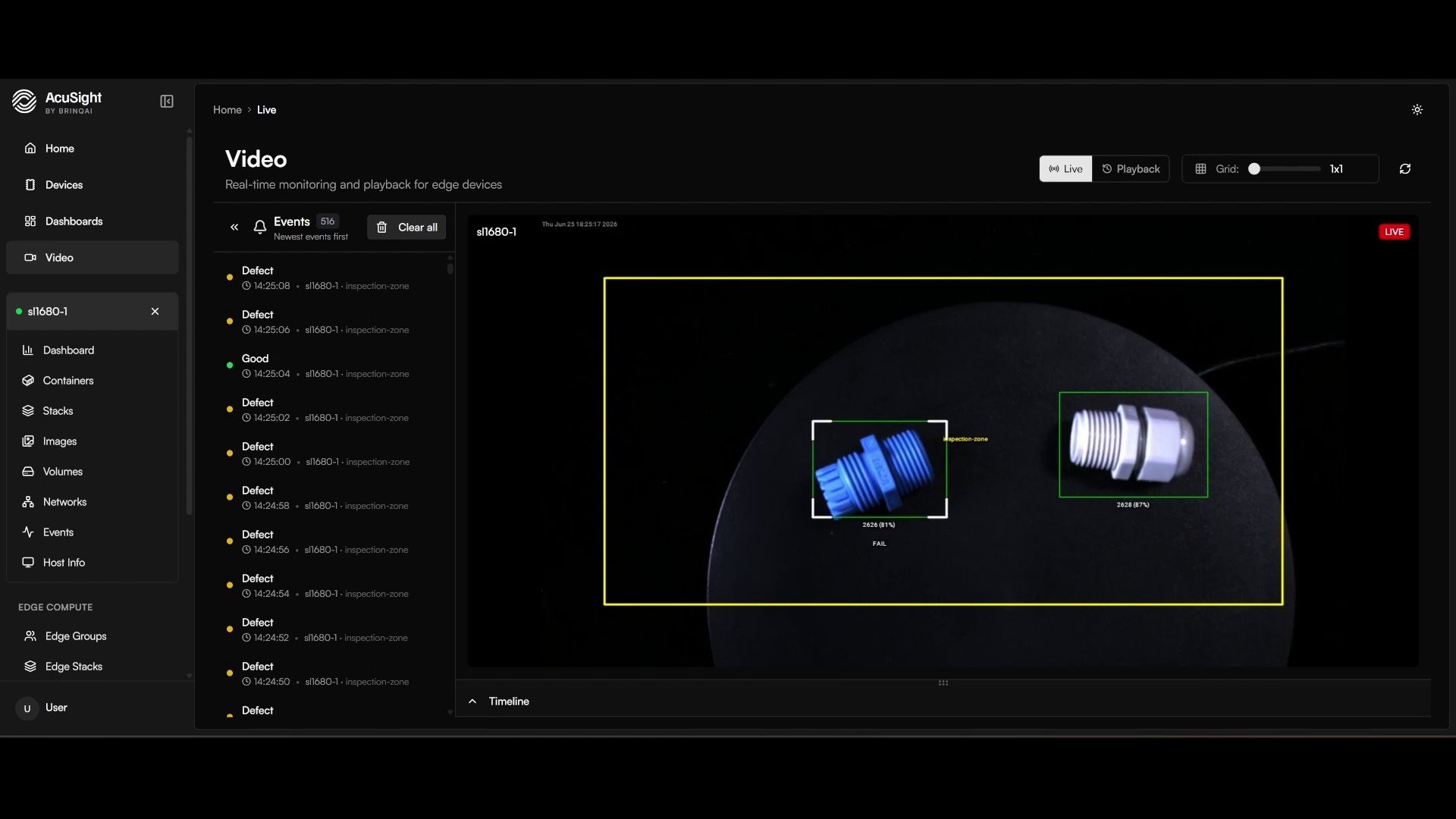
Live detections and events, straight from the device.
Need a different runtime? Models export to PyTorch, ONNX, TFLite, and Synaptics NPU (SyNAP) formats for edge hardware. See Edge agent for what runs where.
You’ve completed the loop
From here, collecting more data and retraining follows the same path — that’s how you adapt a model as the real world changes.Operate your fleet
Manage and monitor the devices running your models.
Watch for drift
Catch when a model’s live behavior starts to slip.