

Start a training run
- From your dataset version (or the Dataset view), select Train Model.
- Choose a model architecture (YOLOv8 is a solid default) and a model size (Nano is fast and ideal for edge devices; larger sizes trade speed for accuracy).
- Pick an initialization — starting from a public checkpoint (pre-trained COCO weights) is recommended and trains fastest.
- Optionally review the advanced YOLO configuration, then Start Training.
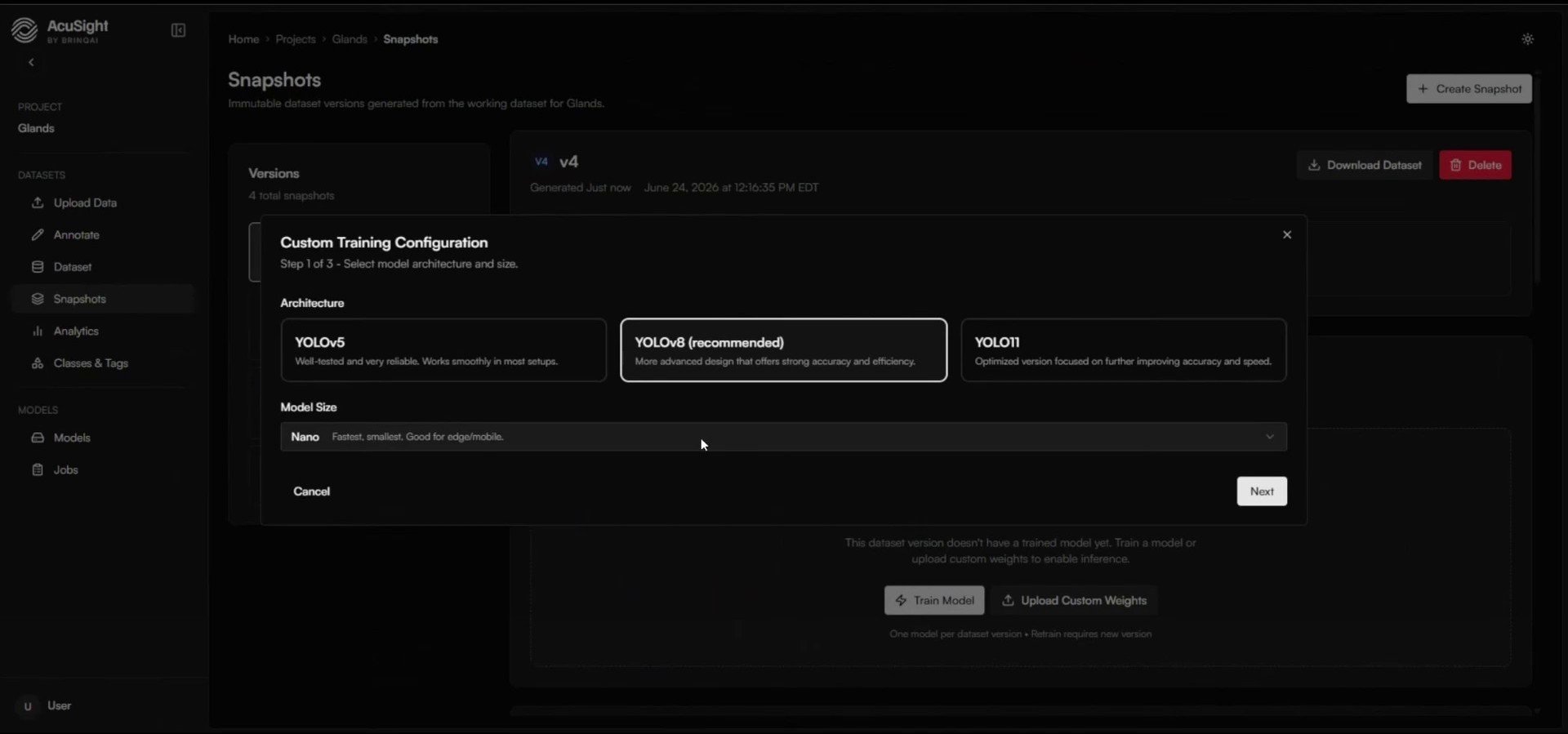
Pick an architecture and size. Nano is a great starting point for edge hardware.
Watch it train
A run moves through preparing → training → completed, with metrics updating live as it goes: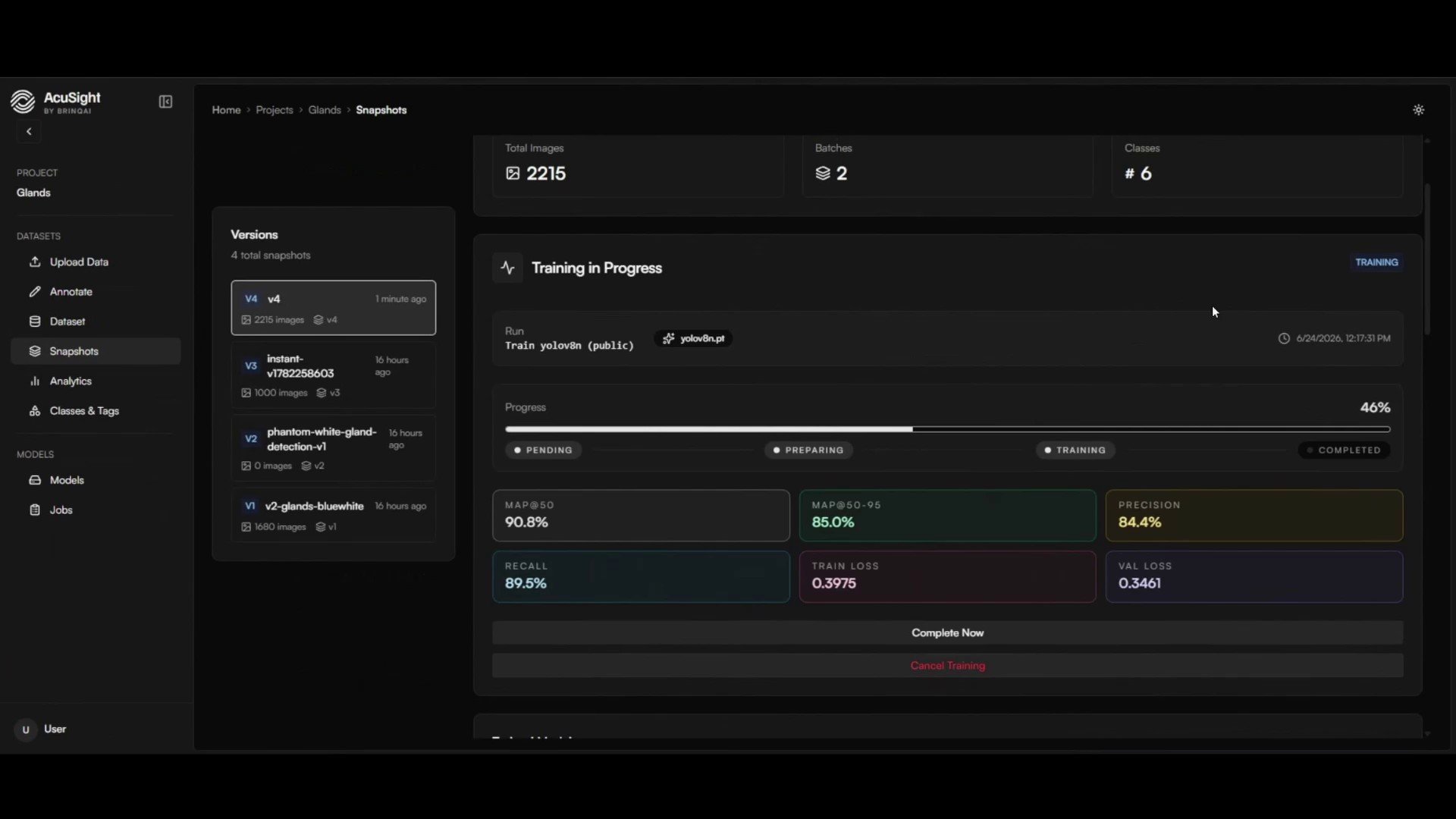
Accuracy and loss metrics stream in as the run progresses.
Track and compare runs
The Jobs page lists every training run and its status. Train on different dataset versions or settings, then compare metrics to pick a winner.Each dataset version trains one model. To try new data or new labels, create a new version and train again.
Next steps
Evaluate and promote
Compare your models and promote the best one to champion.
Model lifecycle
How training fits into the versioned model lifecycle.