

Set your splits
In the Dataset view, choose how images are divided into train, validation, and test. A common split is 70 / 20 / 10. Images you’ve assigned manually keep their split; the rest are distributed to hit your target ratios.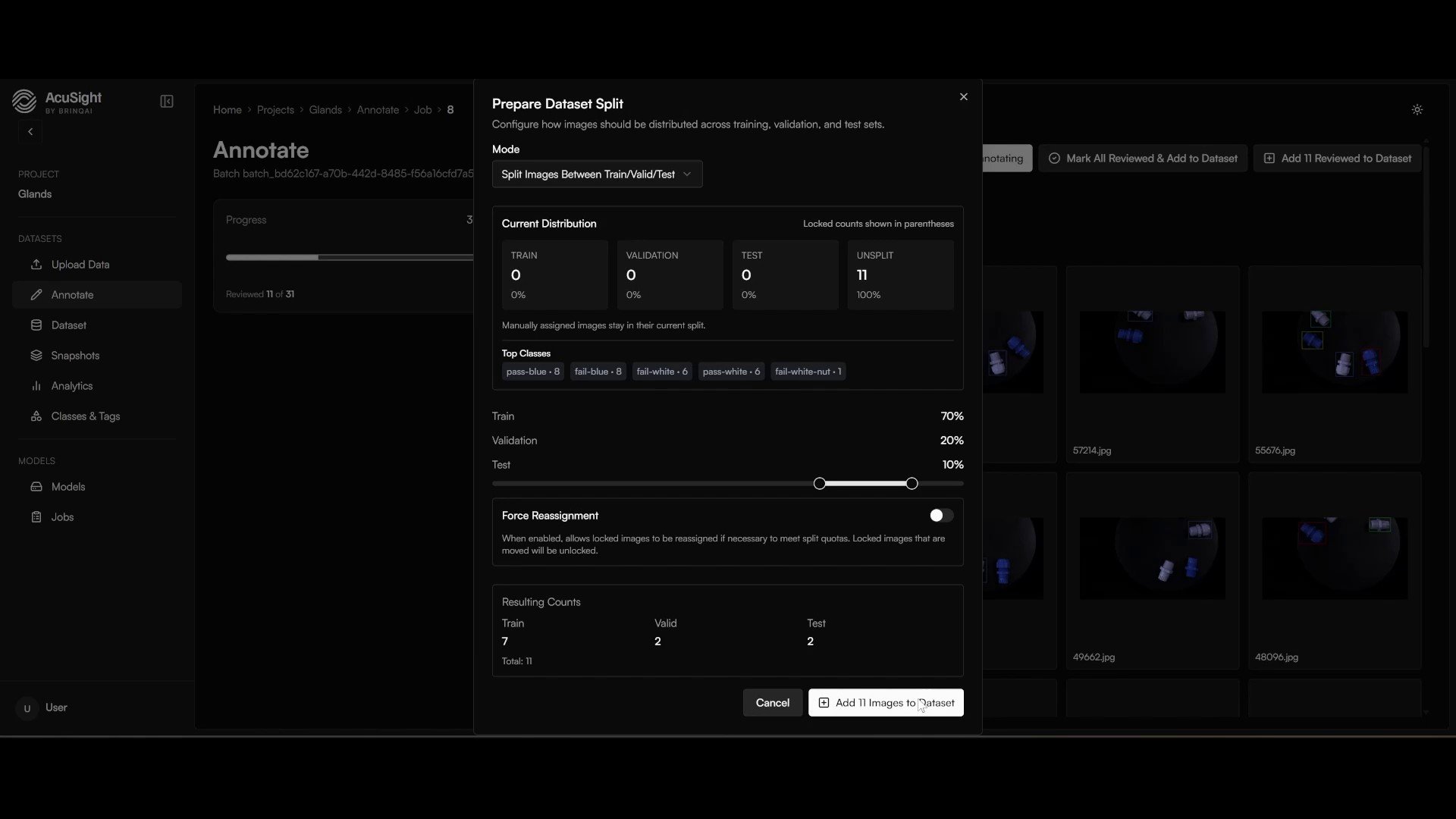
Distribute images across train, validation, and test.
Create a snapshot
- Open Snapshots and select Create Snapshot.
- Optionally add preprocessing and augmentation steps — see Augmentation.
- Confirm to create the version.
Dataset versions are immutable — once created, their contents never change. New labels or batches mean a new version. Each version trains one model, so “which data produced this model” is always unambiguous.
Next steps
Augment your training data
Add preprocessing and augmentation to get more out of your images.
Model lifecycle
How a dataset version becomes a deployed model.