

Open a device’s settings
Go to Devices and click Settings on the device you want to configure. Each device row also has Reboot and Identify actions, so you can restart a box or make it identify itself without leaving the list.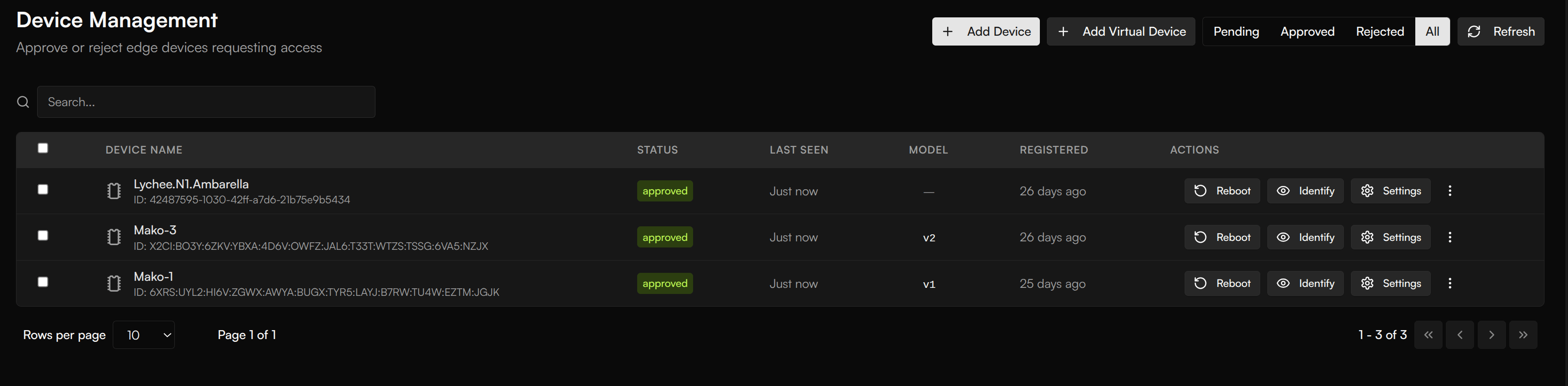
Device Management — every device with its status and last-seen time. Settings opens that device's configuration; Reboot and Identify act on the device directly.
What you can set
The settings dialog is organized into tabs, so each concern has its own place:- General — the device’s basic settings.
- Video — the device’s video sources, plus capture settings: resolution (width × height) and frame rate. Higher FPS gives smoother video but uses more bandwidth.
- Advanced — lower-level device settings.
- Analytics — what the device measures and reports.
- Zones — the regions of the frame the model should act on, so a camera only reports on the area you care about.
- Network — the device’s network settings, edited straight from the dashboard.
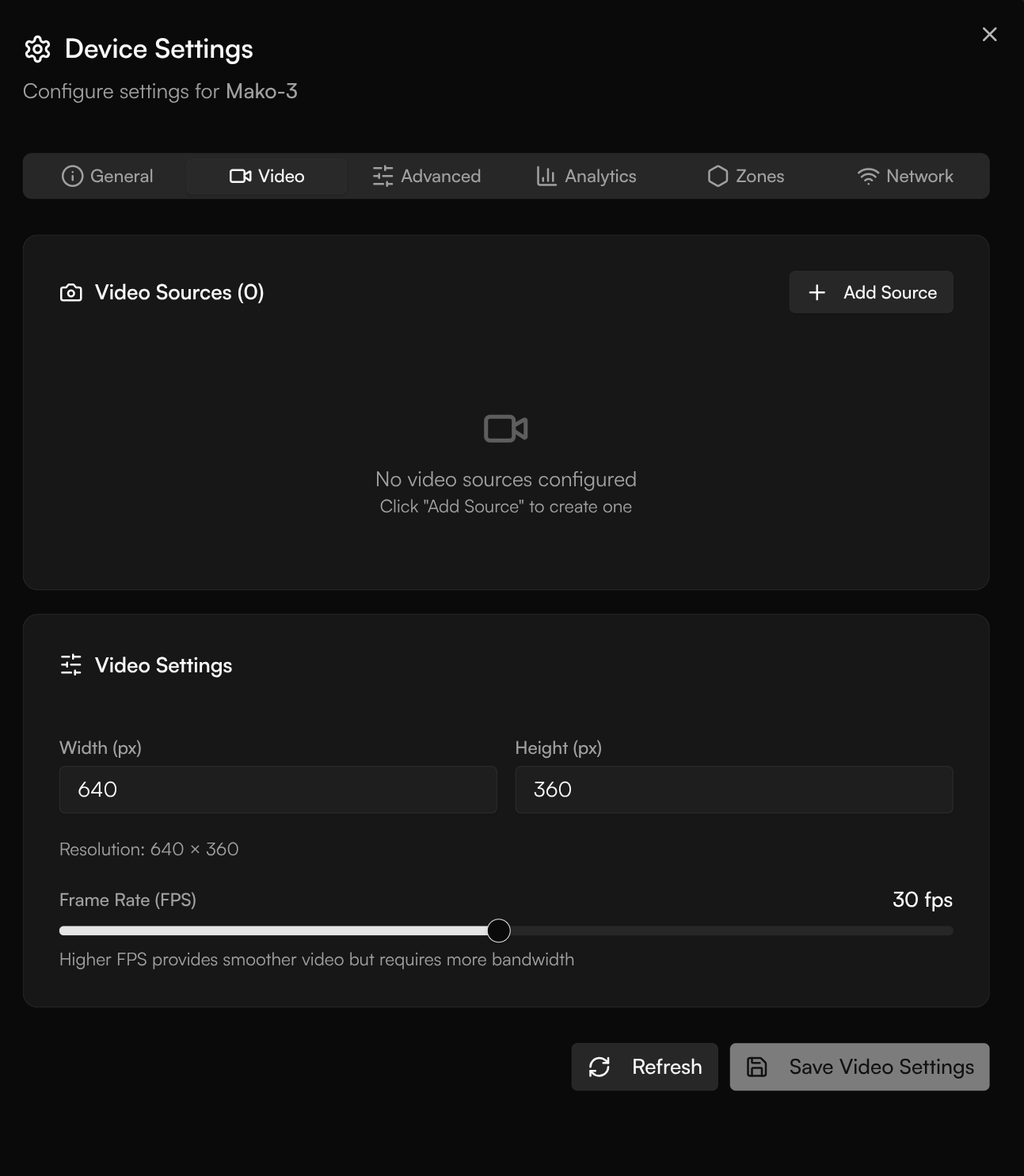
Device Settings — the Video tab, with the device's video sources and capture settings (resolution and frame rate).
Next steps
Container management & logs
Inspect and control the containers running on a device.
Fleet management
Manage devices individually and in groups.