

Recording & playback
Devices continuously record what they see and upload it to AcuSight, where it’s indexed for fast timeline queries. To review footage, open Video → Playback, pick a device, and use the Timeline to jump to a moment. Good and Defect events are listed alongside the video and follow along as you scrub. Gaps in a recording show as empty space on the timeline.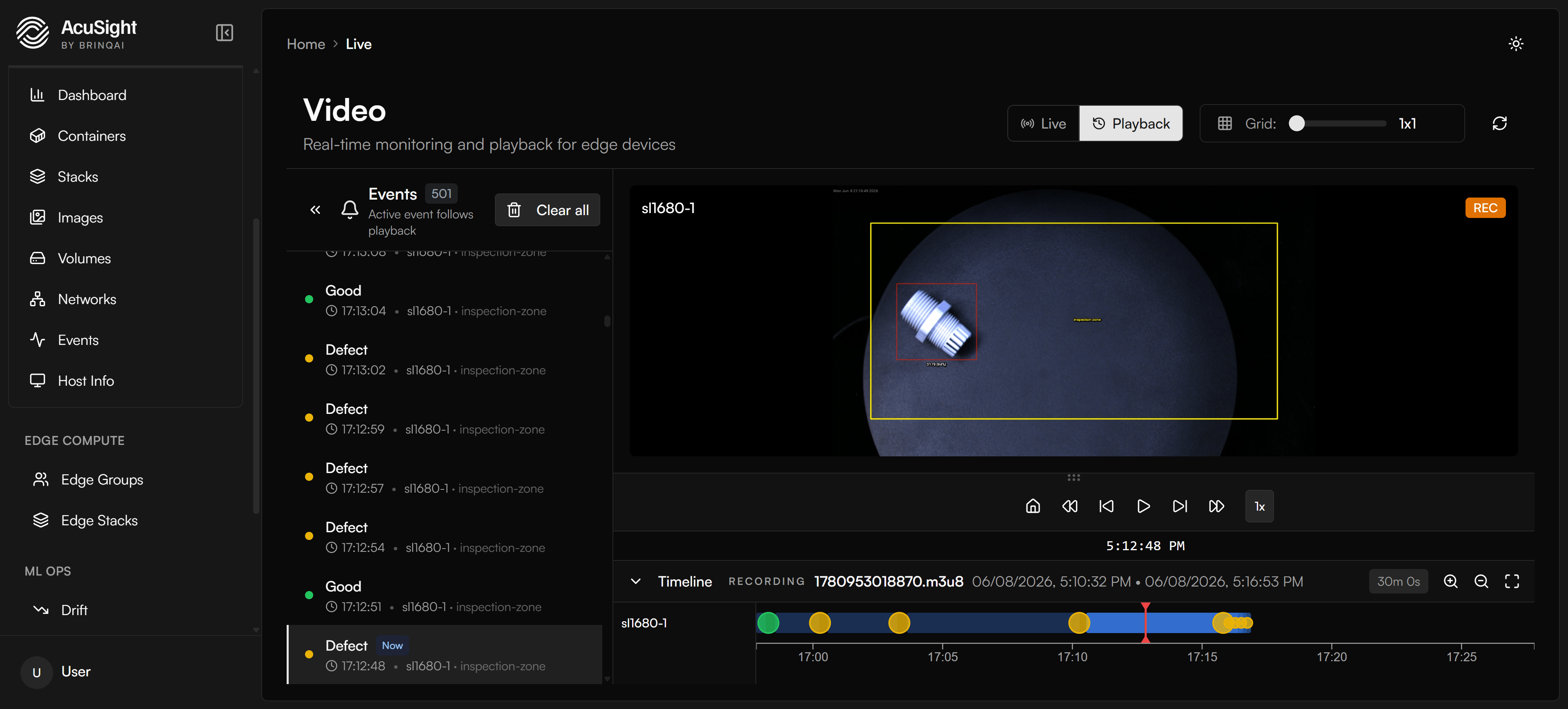
Scrub recorded footage on the timeline, with Good and Defect events listed alongside.
Recordings are retained for about 24 hours, then age out automatically so recording storage stays bounded. Export anything you need to keep before it does. See Reliability for how data retention works.
Live monitoring
Video → Live shows real-time streams from your devices, with model detections overlaid and Good / Defect events listed alongside. Media flows peer-to-peer between your browser and the device where possible, keeping the video path fast. This works across networks — including devices behind NAT or a firewall — with nothing to configure.Next steps
Fleet management
Manage the devices doing the recording.
Reliability
How AcuSight stores your data and how long recordings are kept.